Virtual Try On AI: Realistic Outfit Preview in Seconds
See yourself in any outfit instantly with Virtual Try On AI. Upload a person photo and one or more clothing images, select from our ready-made style hints, and generate photorealistic try-on results powered by Flaq API—no fitting room, no guesswork.
Core Features of Virtual Try On AI
Virtual Try On AI accurately renders garments onto uploaded person photos, preserving body proportions, fabric texture, and design details across a wide range of clothing styles and model types.
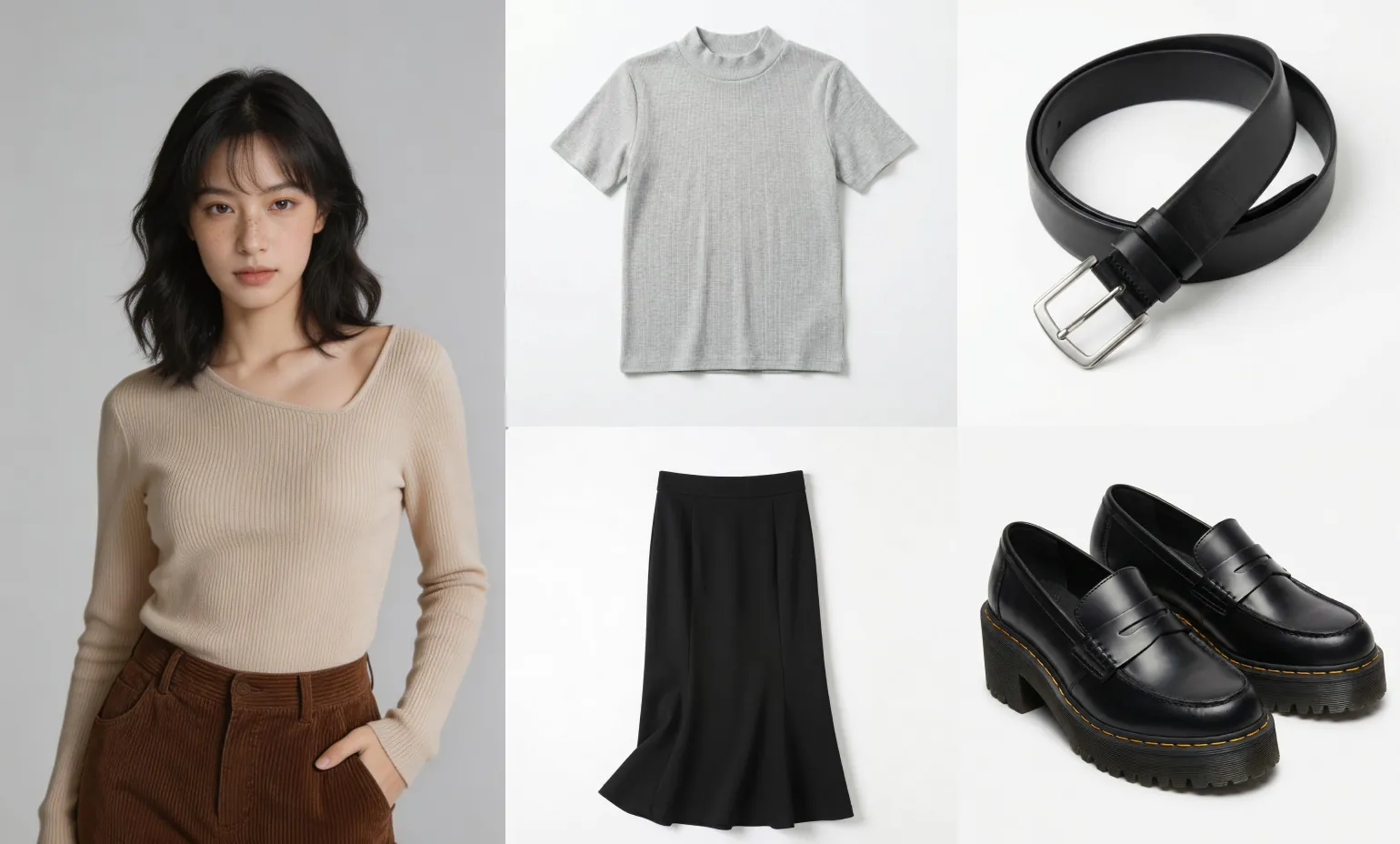
Upload a person photo and a clothing image. The AI maps the garment onto the body with natural drape, accurate fit, and full detail preservation.
Original
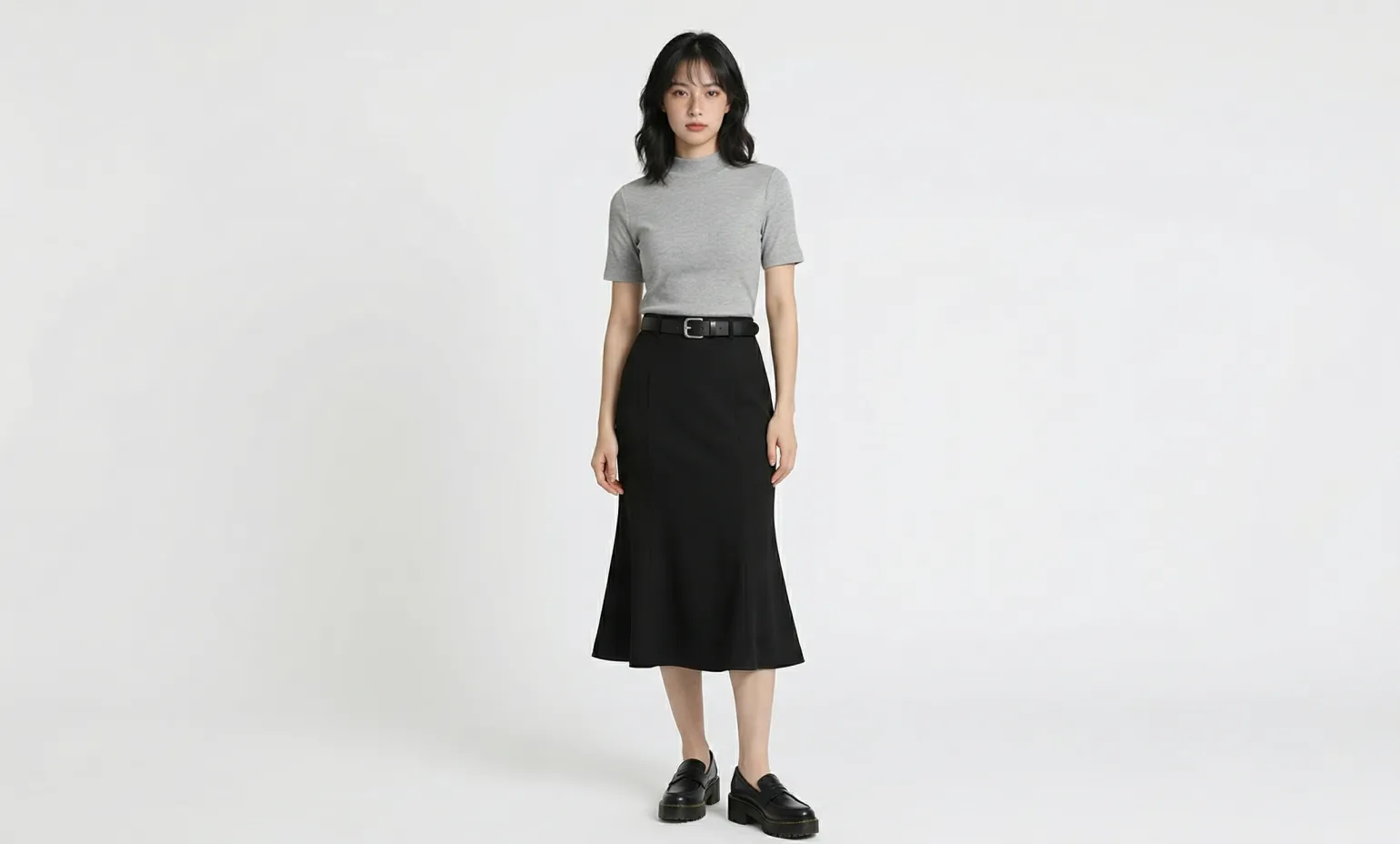
Dress the person from the first image in the clothing from the second image. Exactly maintain the clothing's original proportions, length, and design. Preserve the character's identical pose and body shape. The outfit must flatter the figure — subtly slimming and contouring the body for a more elegant silhouette — while staying slim, lightweight, and non-bulky. No excessive volume, no puffiness, realistic fabric behavior and natural folds, photorealistic integration.
Choose from curated style hint templates to get started instantly—no sourcing required. The AI generates a complete try-on result based on your selection.
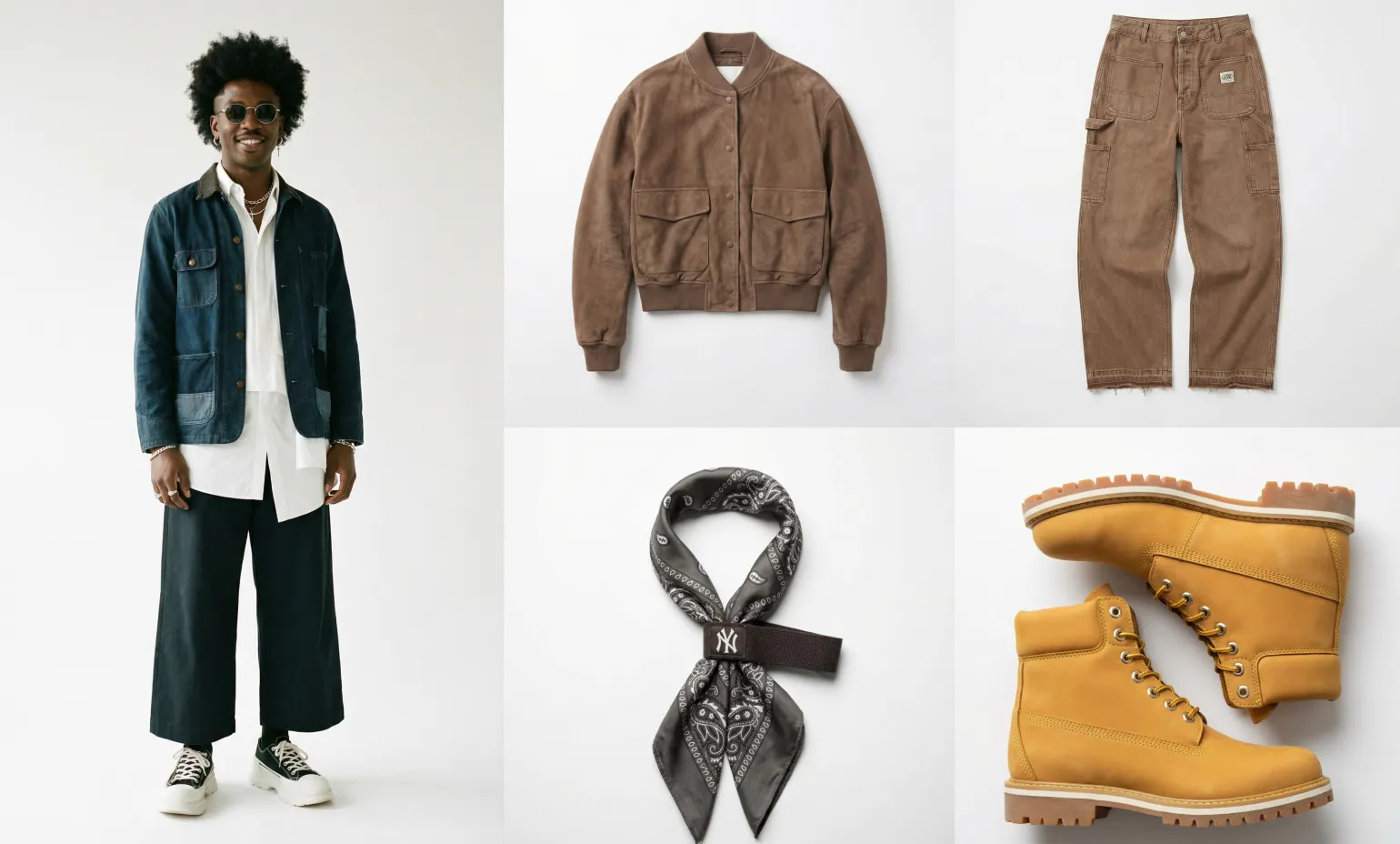
Original
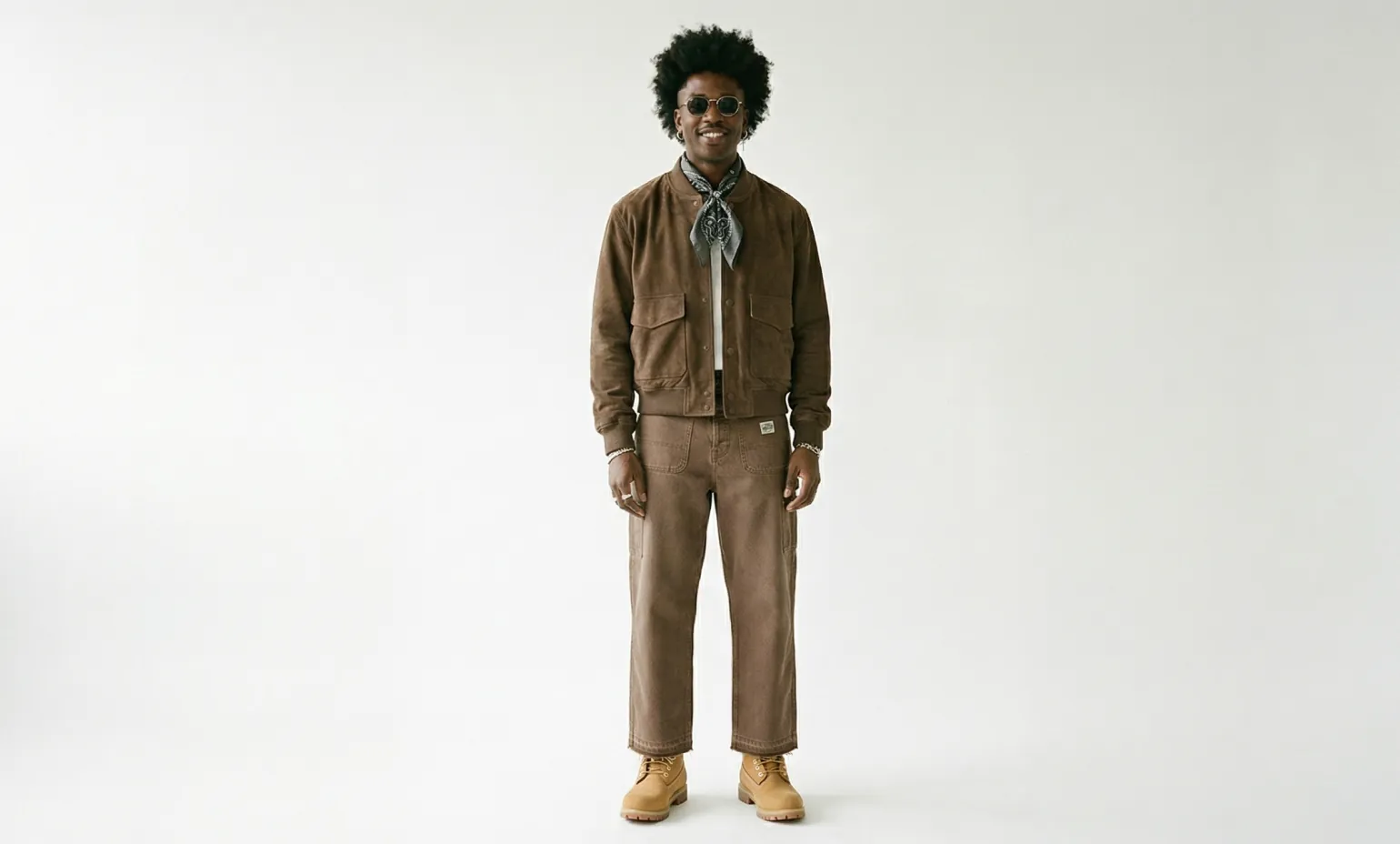
Dress the person from the first image in the clothing from the second image. Exactly maintain the clothing's original proportions, length, and design. Preserve the character's identical pose and body shape. The outfit must flatter the figure — subtly slimming and contouring the body for a more elegant silhouette — while staying slim, lightweight, and non-bulky. No excessive volume, no puffiness, realistic fabric behavior and natural folds, photorealistic integration.
Switch between different AI models to control output style and detail level. Each model delivers consistent, high-quality virtual try-on results.
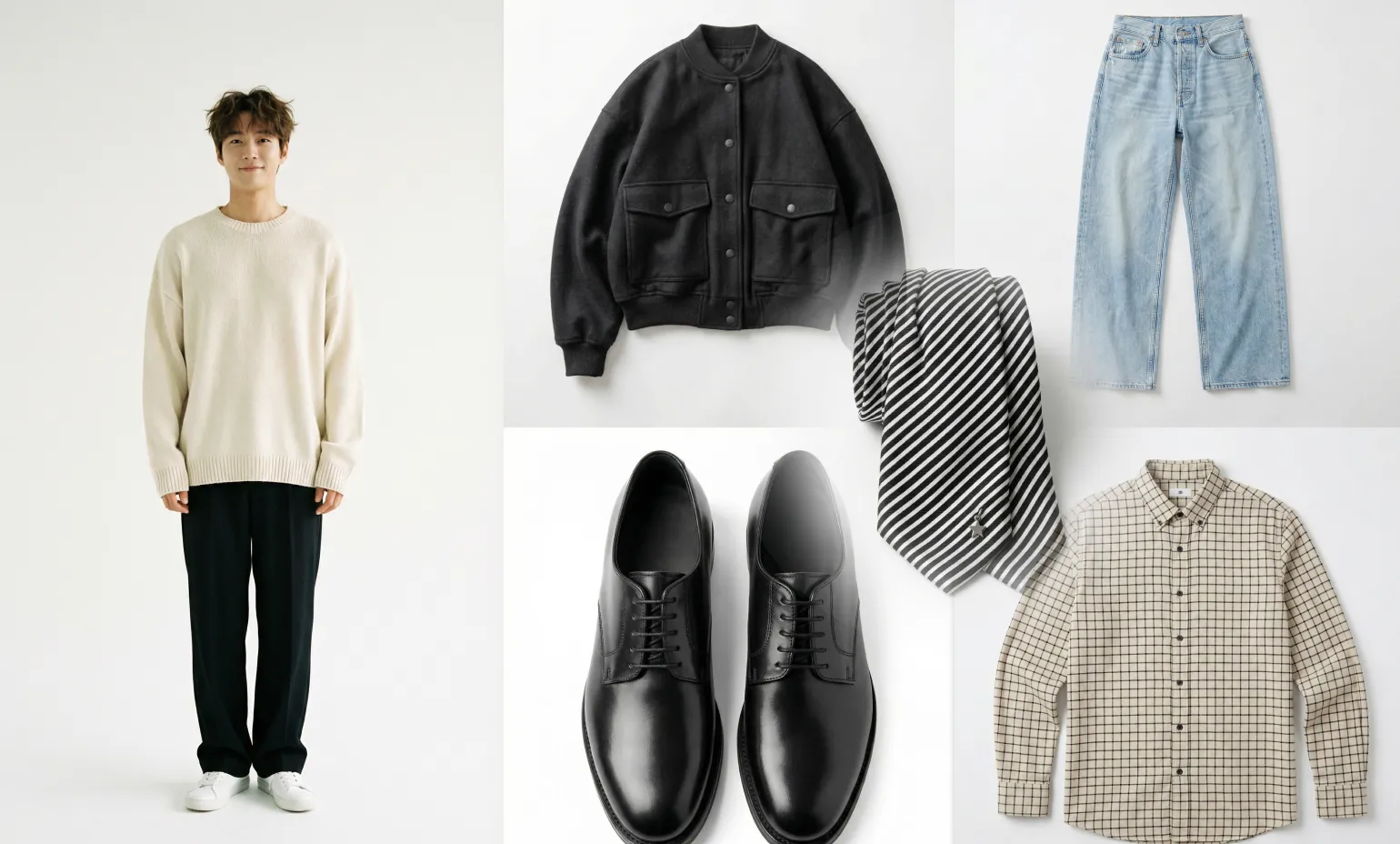
Original
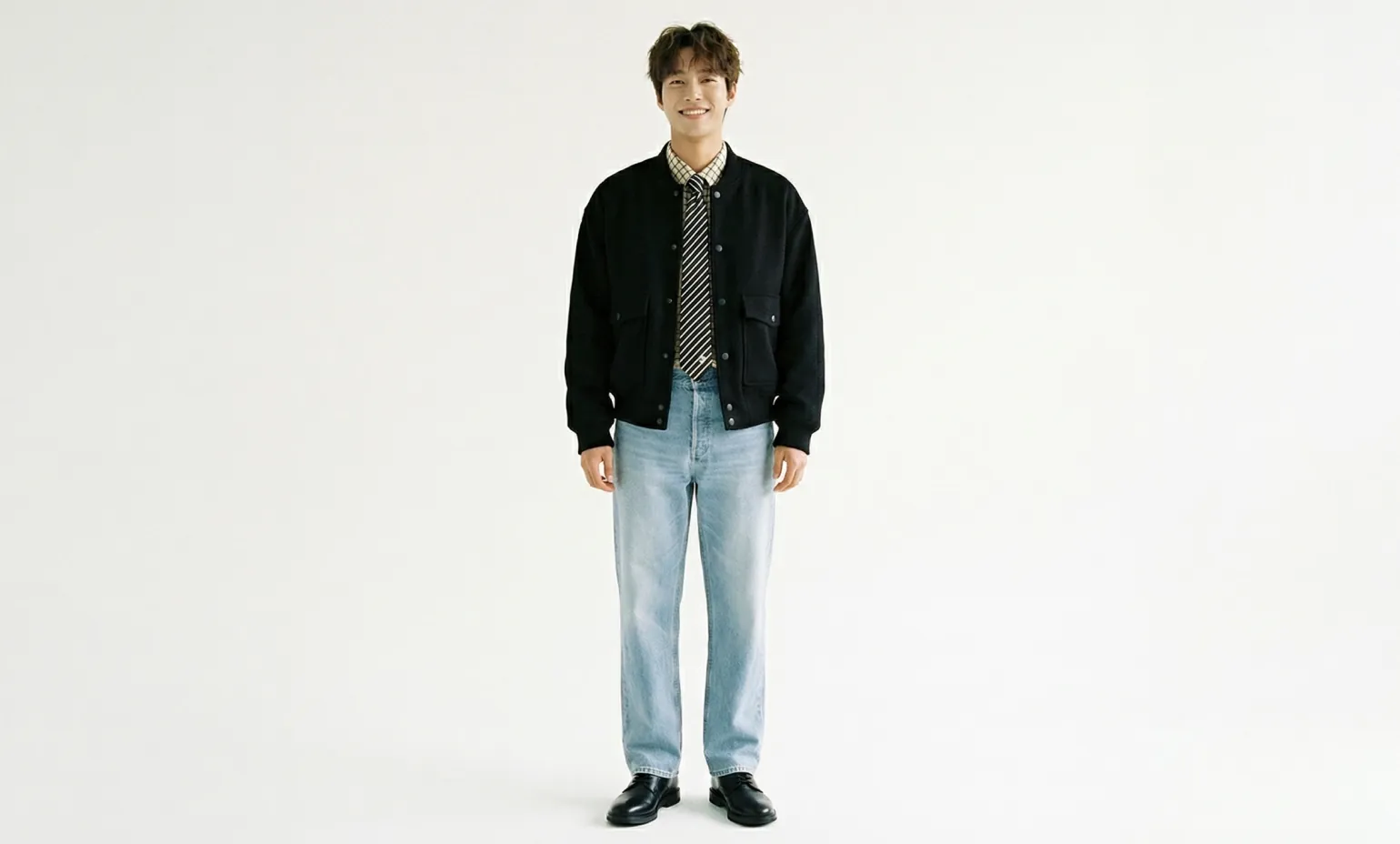
Dress the person from the first image in the clothing from the second image. Exactly maintain the clothing's original proportions, length, and design. Preserve the character's identical pose and body shape. The outfit must flatter the figure — subtly slimming and contouring the body for a more elegant silhouette — while staying slim, lightweight, and non-bulky. No excessive volume, no puffiness, realistic fabric behavior and natural folds, photorealistic integration.
Core Advantages of Virtual Try On AI
Virtual Try On AI combines multiple state-of-the-art generation models with a simple upload workflow, making realistic outfit visualization accessible to anyone—from individual shoppers to e-commerce teams.
Fast Generation, Instant Results
Get photorealistic try-on results quickly. Our AI is pre-trained on millions of garment and body reference images, requiring no complex setup—just upload and see instant output.
Perfect Details, Precise Presentation
From delicate textures and complex patterns to tiny text and logos, every detail of the clothing is faithfully preserved in each result. The original design is fully represented—no distortions, no unexpected differences.
Unlimited Compatibility, Complete Coverage
Whether it's model photography, flat lay displays, or invisible mannequin shots, the AI handles them all without additional configuration. It adapts flexibly to diverse clothing styles, body types, and pose variations.
Multiple Models, One Platform
Switch between different AI models based on your output preference. Each model is optimized for different generation styles and clothing complexities—all accessible without any technical setup.
How to Use Virtual Try On AI
Virtual Try On AI requires no technical experience. Upload your images, select a model and style hint if needed, and receive a realistic try-on result quickly.
Step 1: Upload a Person Photo
Upload one clear photo of a person. This will serve as the base body reference for the virtual try-on.
Step 2: Add Clothing Images or Choose a Style Hint
Upload one or more clothing images (the number supported varies by model), or select from pre-built style hint templates to skip sourcing entirely.
Step 3: Select Your AI Model
Choose from available AI models. Each model offers different generation characteristics—select based on your desired output style and clothing type.
Step 4: Generate and Download
Click generate and receive your virtual try-on result. Preview the output and download it for personal use, product listings, or content creation.
Use Cases for Virtual Try On AI
Virtual Try On AI supports a wide range of personal and professional applications—from online shopping decisions to high-volume e-commerce content production.
Online Shopping & Purchase Decisions
See exactly how a garment will look on your body before buying. Reduce return rates and purchase uncertainty by visualizing real outfit combinations on yourself.
E-commerce Product Photography
Generate on-model product visuals at scale without organizing photoshoots. Upload clothing images and instantly produce catalog-ready imagery for any body type or style.
Fashion Design & Sampling
Preview how new designs look on real body references before producing physical samples. Speed up design iteration and reduce prototyping costs across the development cycle.
Marketing & Social Media Content
Produce high-quality outfit imagery for campaigns, lookbooks, social posts, or brand promotions—without models, studios, or post-production. Generate multiple variations quickly to test different looks.